
Operations CRM - Create an Order from a Quote
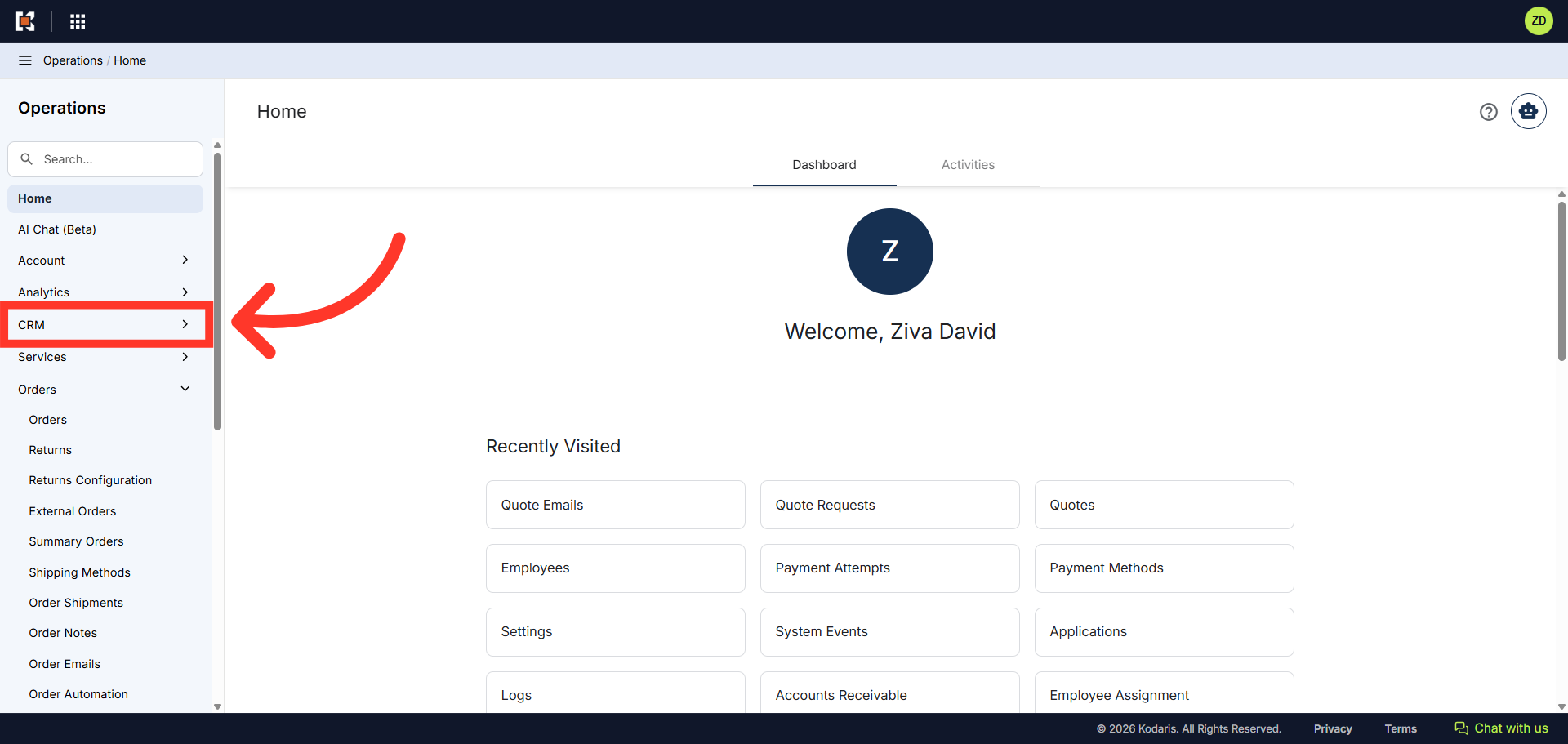
Navigate to "CRM"
You can quickly create an order from a quote in the Operations Portal. First, navigate to the "CRM" section.
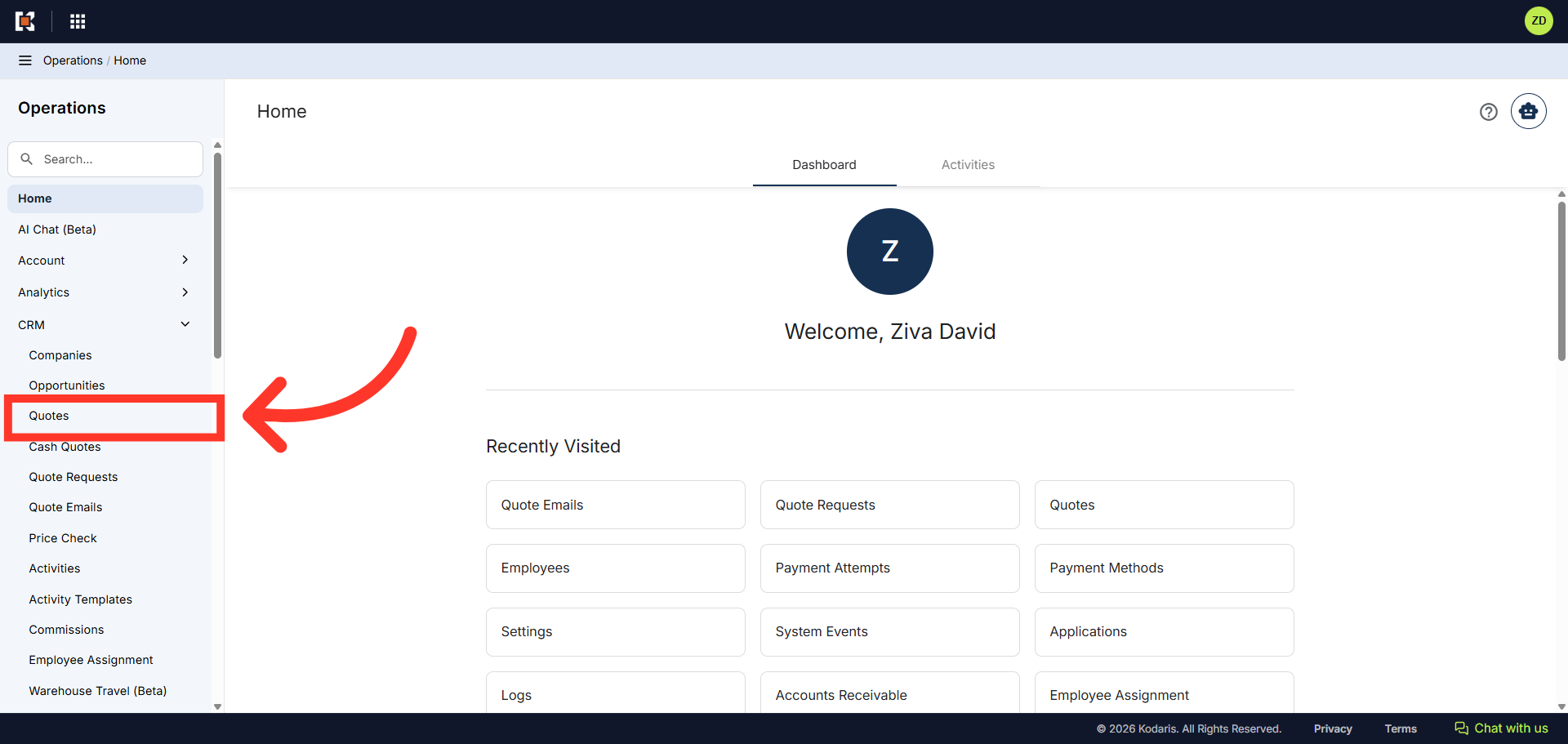
Click "Quotes"
Then, click "Quotes". In order to access Quotes, you will need to have the role of "administrator" or "superuser", or have the roles of "quoteEdit" and "accountQuoting".
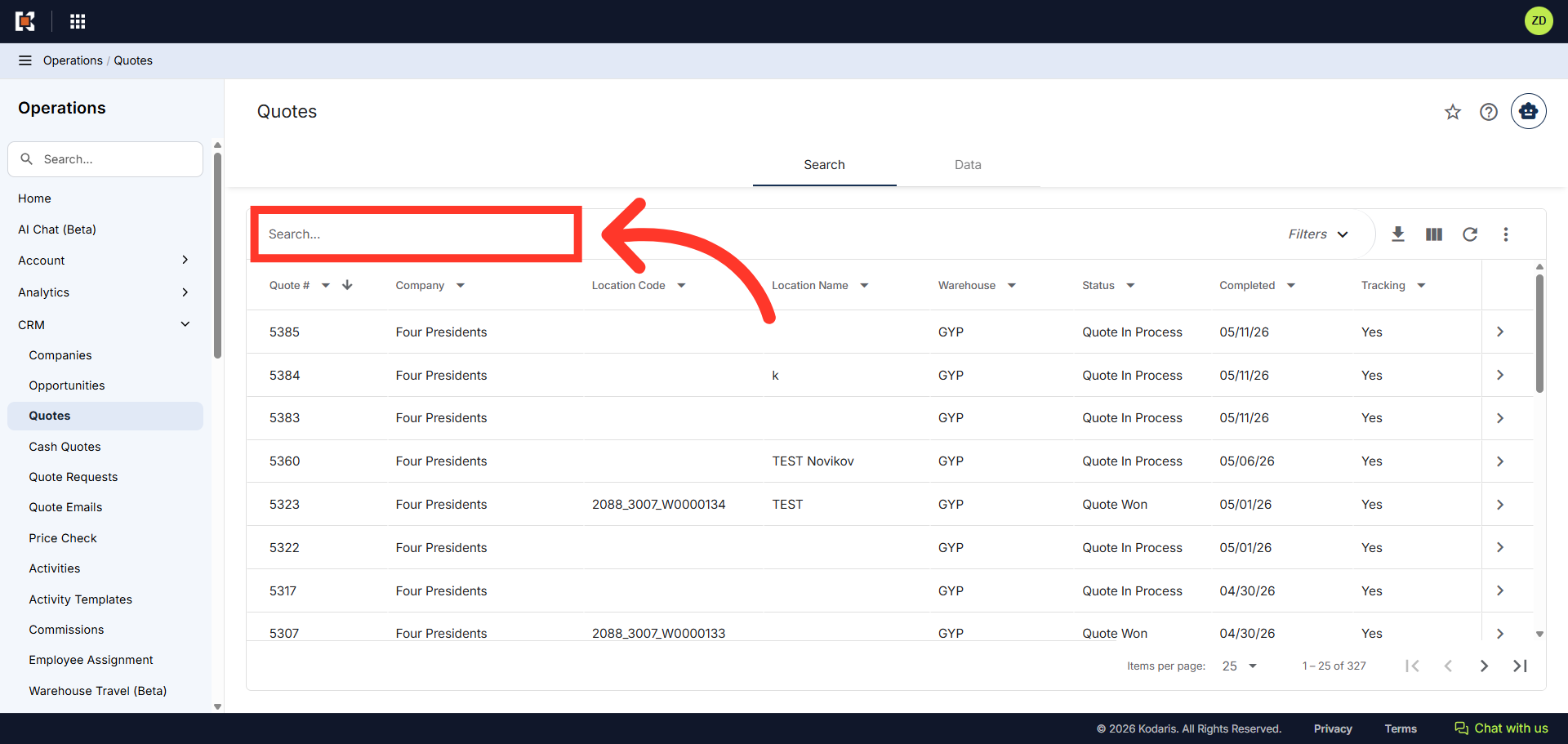
Search for the quote
Next, locate the quote you wish to convert to an order. You can enter the quote number in the "Search..." field to search for the quote.
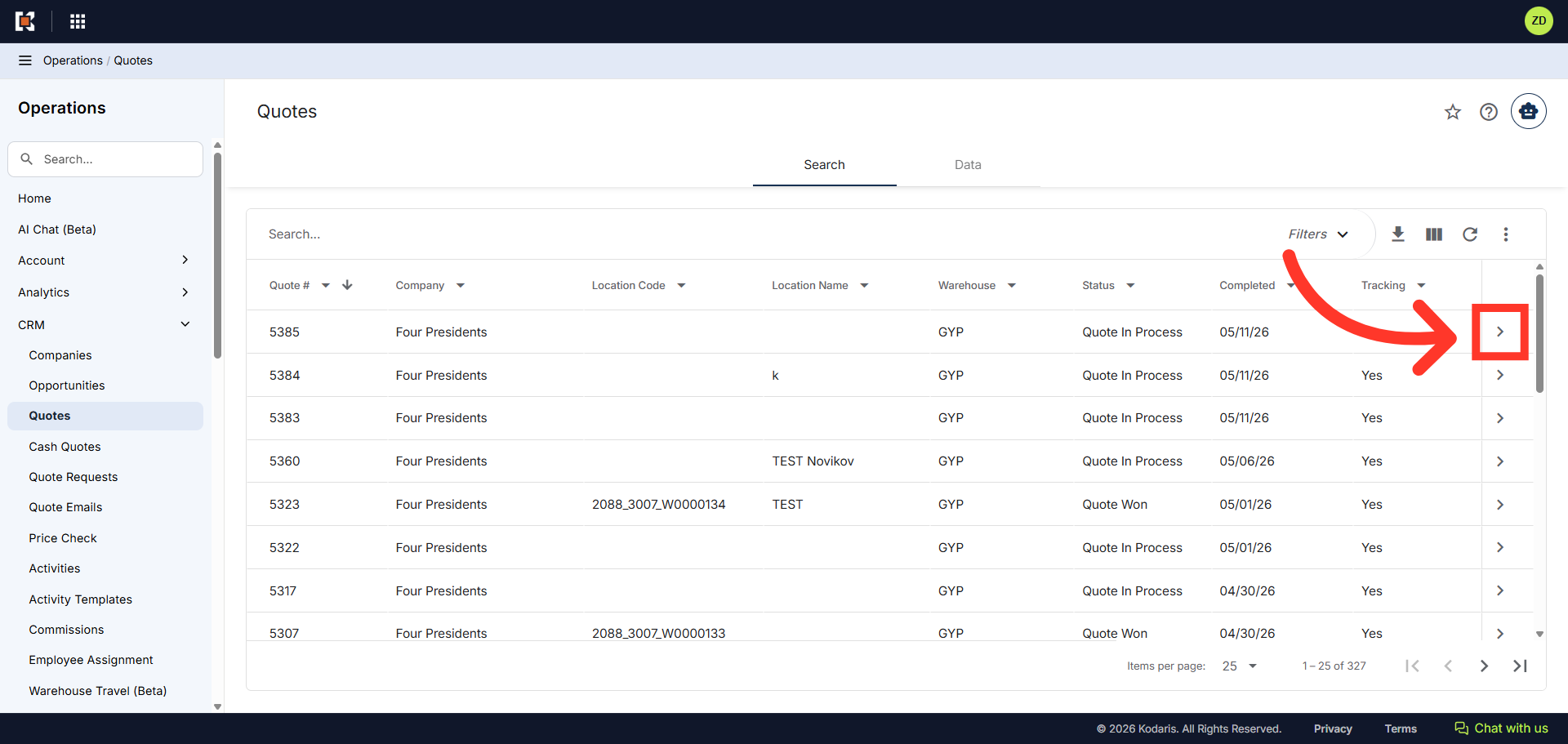
Click on the more details icon
Click on the more details icon to view quote details.
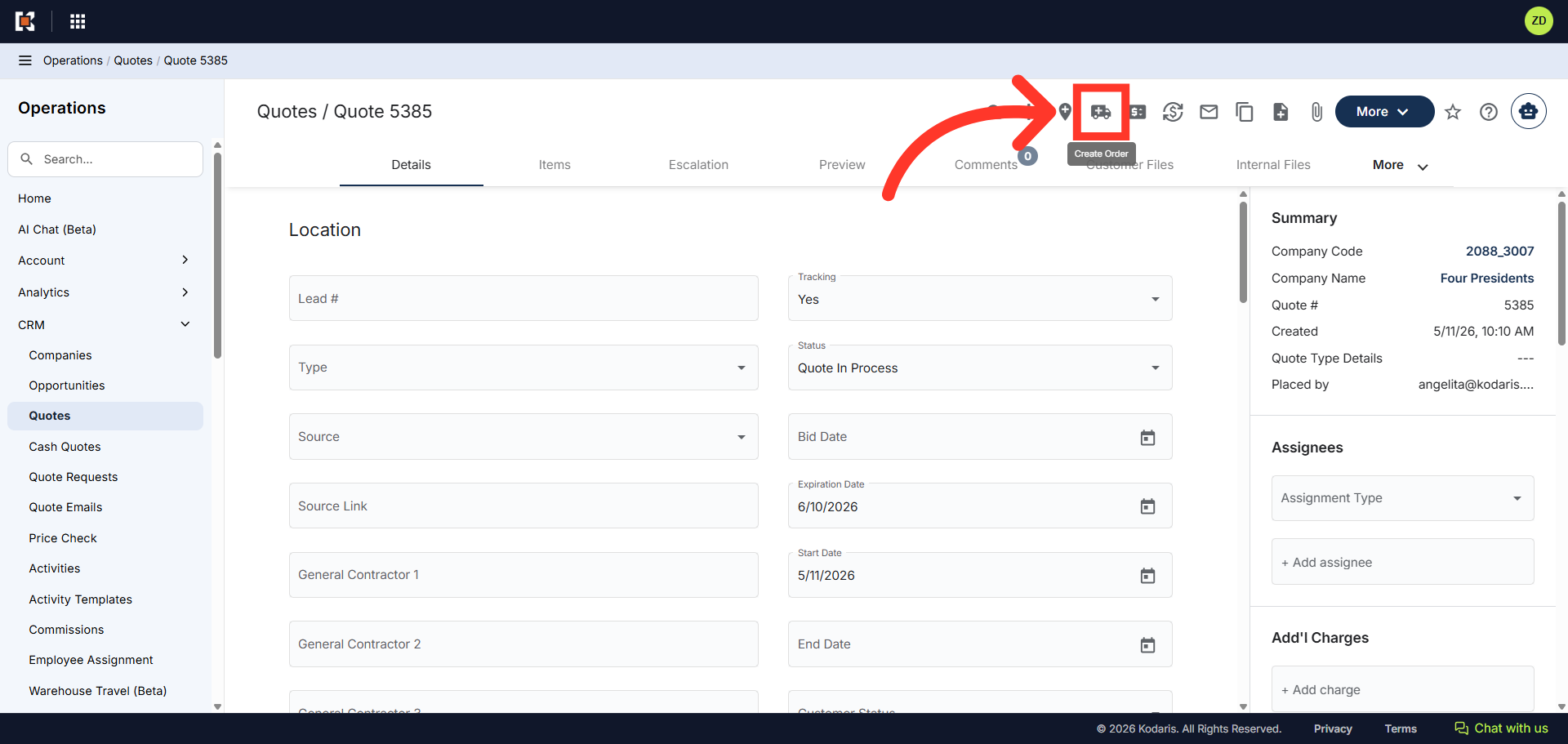
Click "Create Order"
Click the "Create Order" icon.
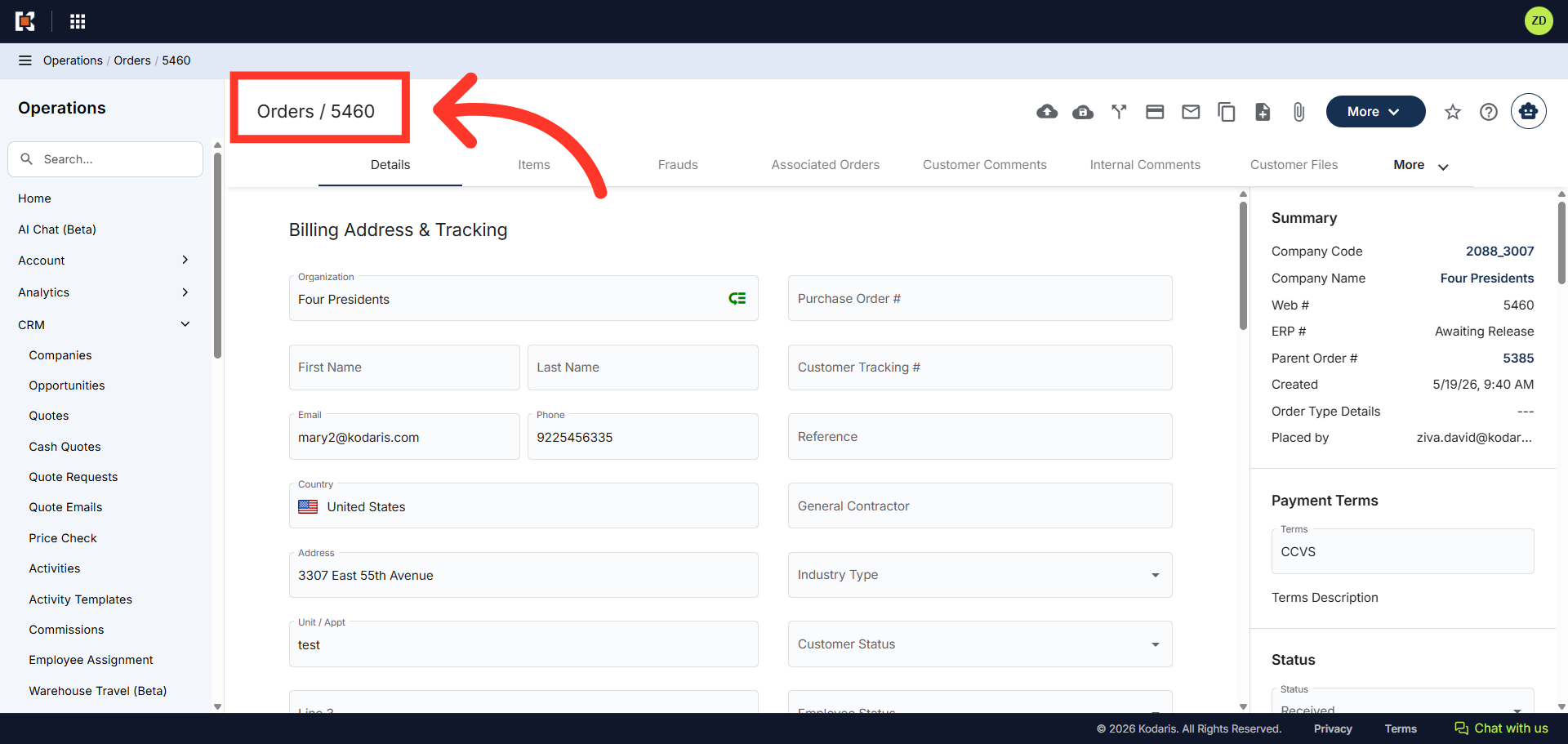
Quote has been converted to an order
Your quote has been converted to an order and an order number has been assigned. From this screen you can also view the line items, submit the order to your ERP, email the order, and pay the order.
In this article