Mapping New Company Accounts to ERP
Overview
This document outlines the standard operating procedures for mapping new company accounts to ERP.
When a company account in Kodaris is saved to the ERP, the system runs a script for mapping the account fields to the Infor CSD ERP.
In the Kodaris system, this script is called an interceptor.
If that company account is a new account and if it's being saved to the ERP for the first time, it runs an interceptor script called inforCSDARCustomerMntArscAdd.js
Let's see how this interceptor script works and how to use it to map the company fields.
Requirements
- JavaScript knowledge
- Infor CSD knowledge
Steps
1. Open the Interceptors page
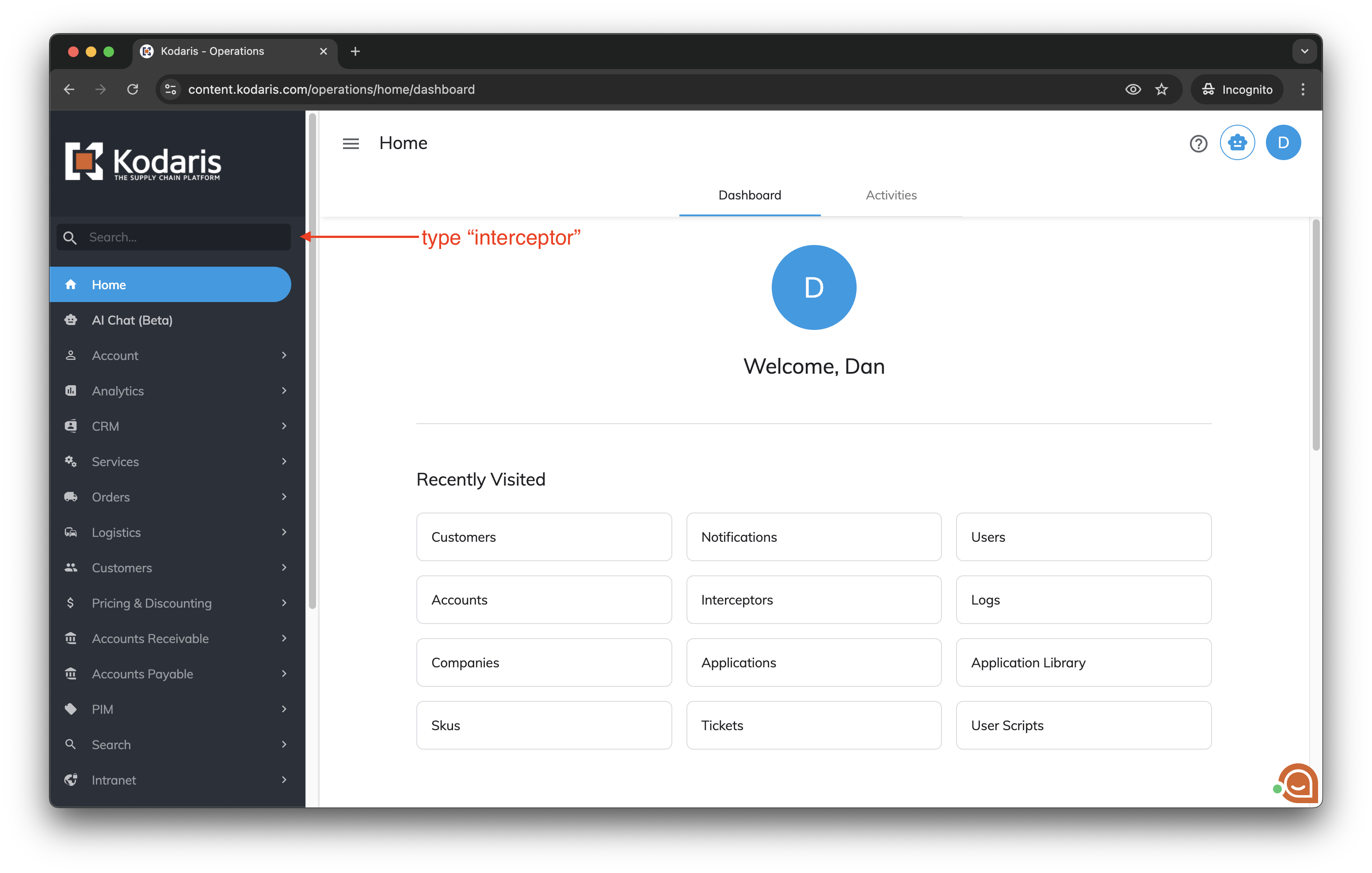
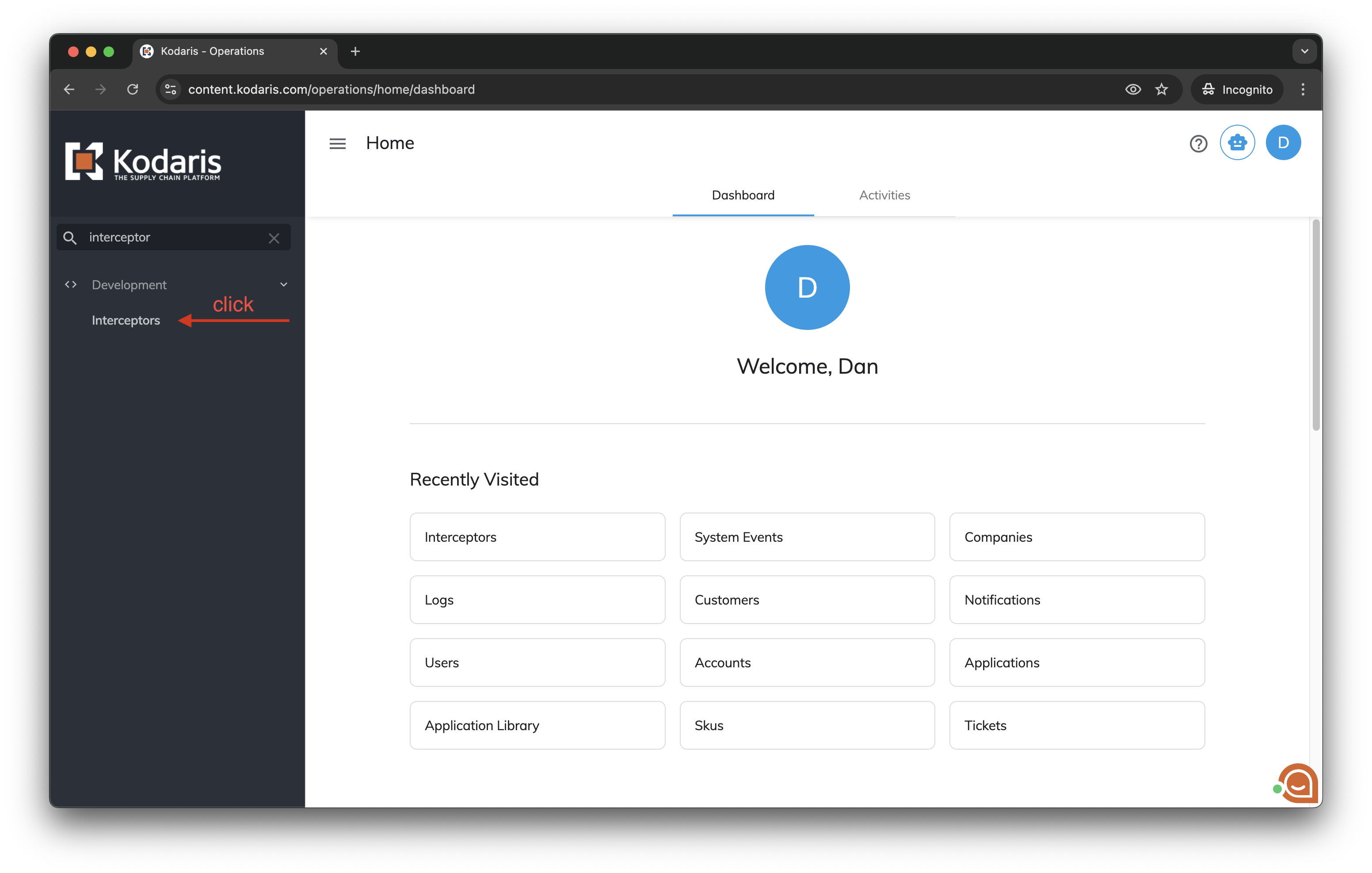
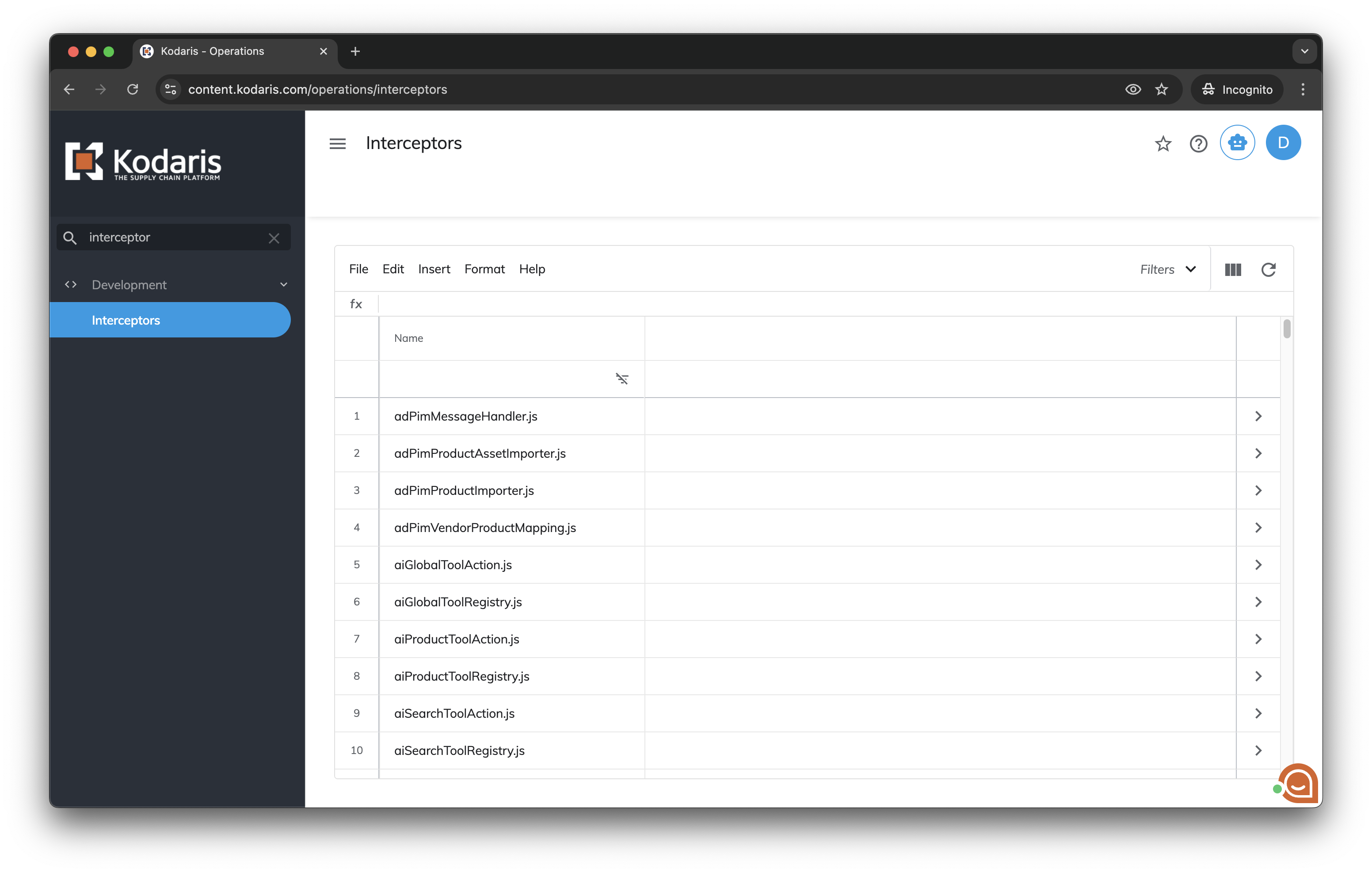
Log in the Operations Portal. Type "interceptor" in the left menu search bar, then click Interceptors to open the page.
2. Find the interceptor and open it
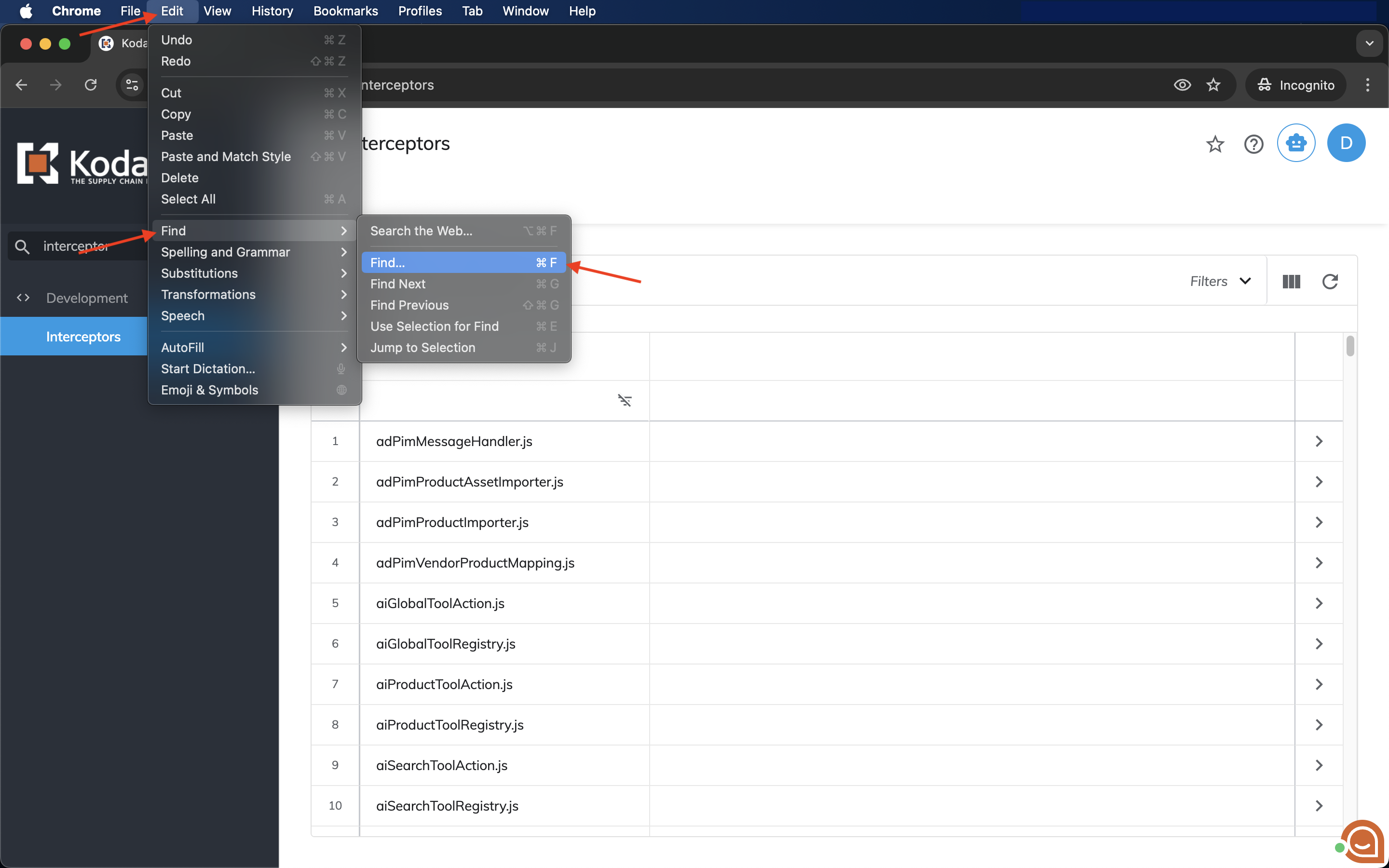
Open the Google Chrome Find tool: in the browser menu, click "Edit > Find > Find...".
Or press ⌘+F (Mac) / CTRL+F (Windows).
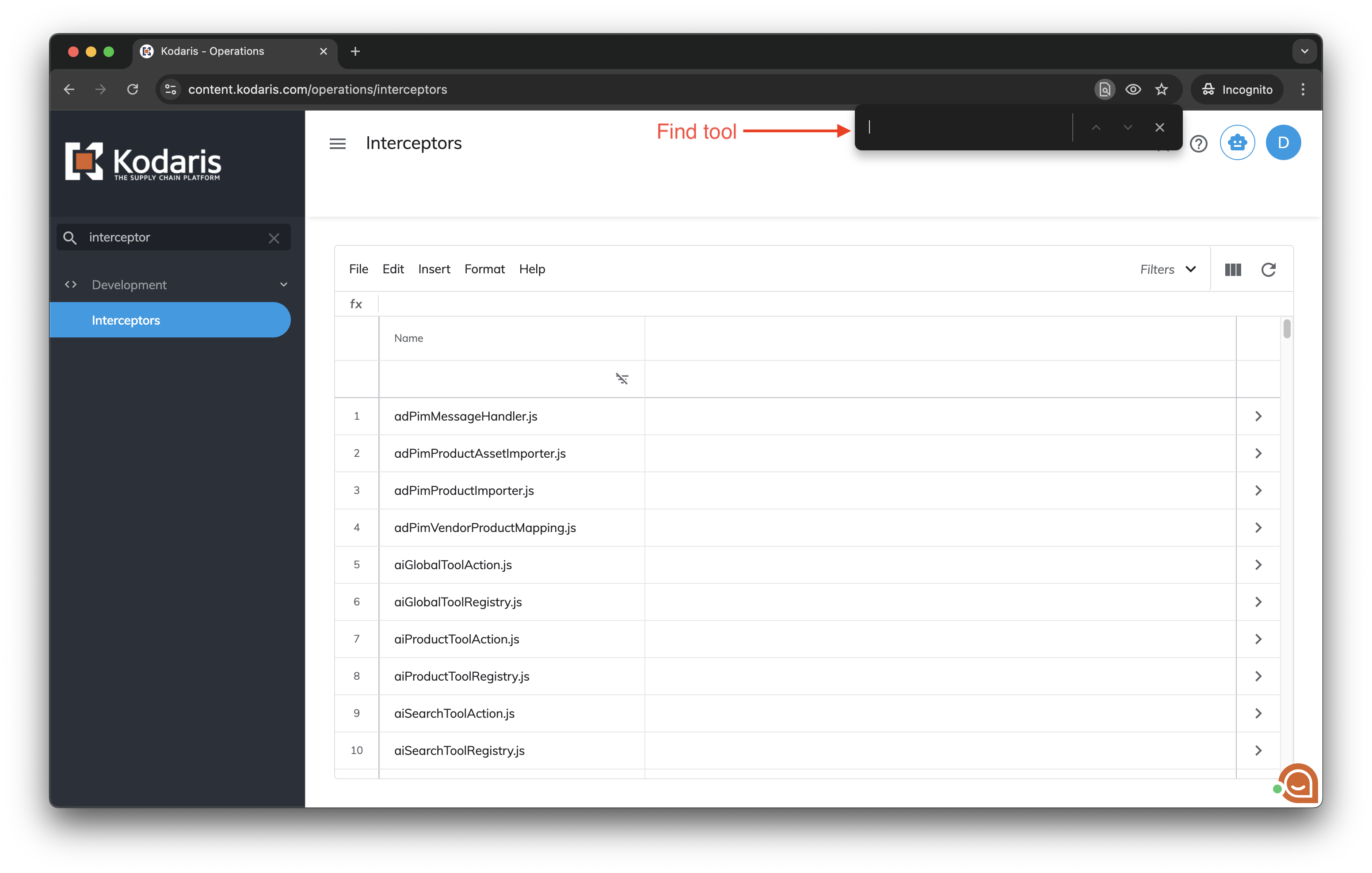
In the Find tool popup box, search for "inforCSDARCustomerMntArscAdd.js" and click the ">" icon to open it.
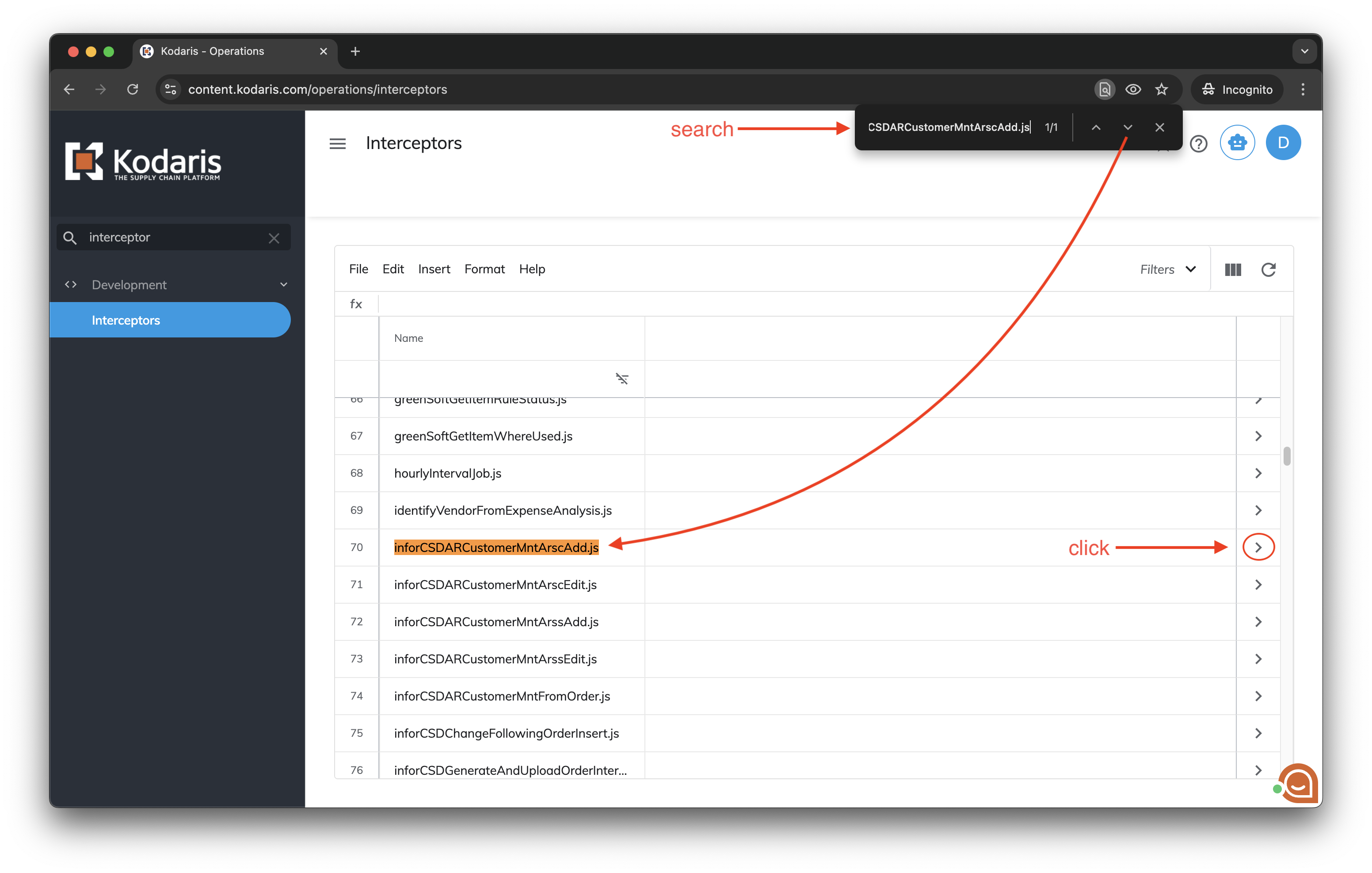
inforCSDARCustomerMntArscAdd.js" in the Find tool and open it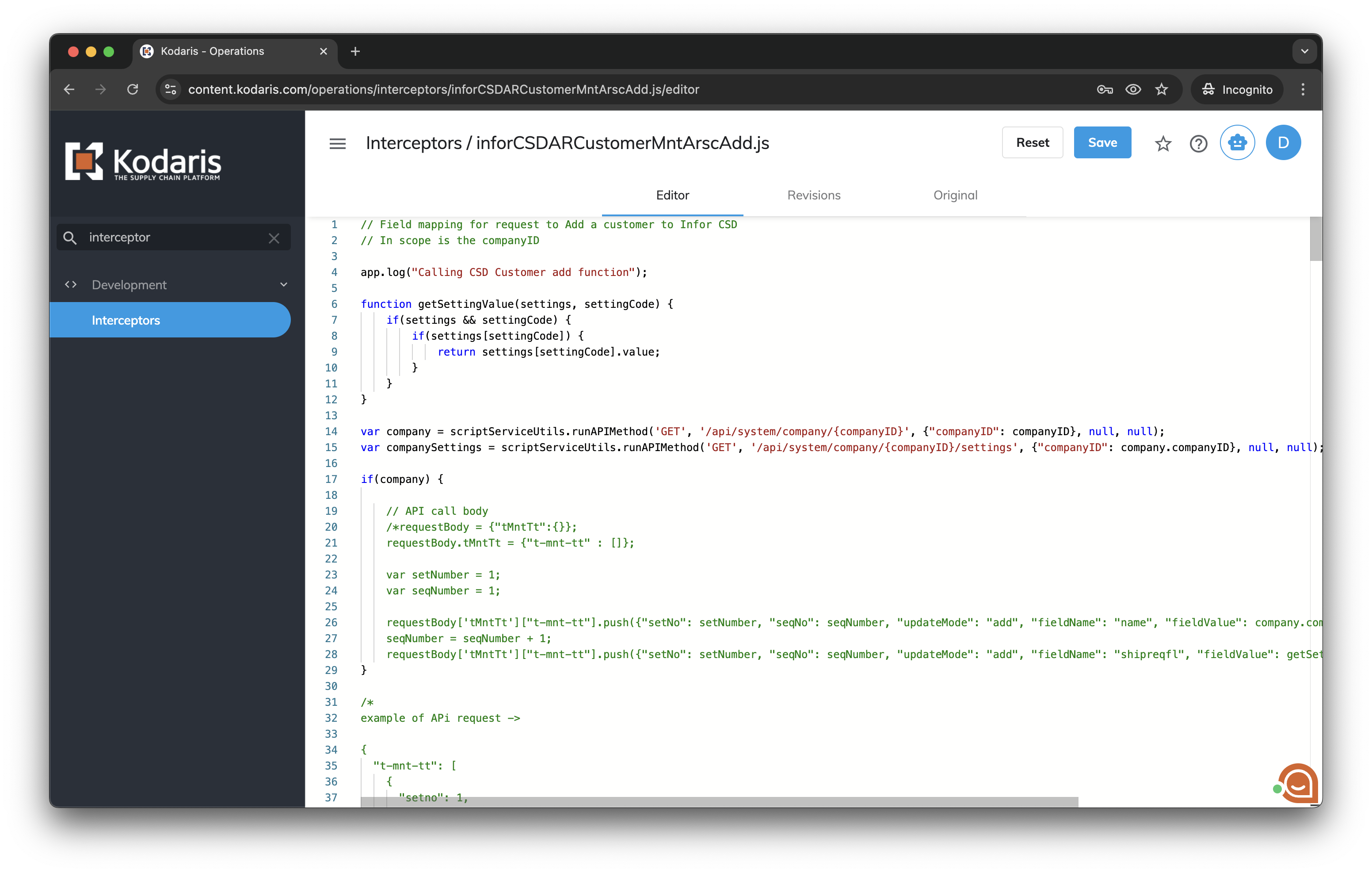
3. Change the interceptor script and save it
In order to do the field mapping for request to add a customer to Infor CSD, it uses the companyID in scope to get the company:
var company = kd.api.fetch({
  method: 'GET',
  endpoint: '/api/system/company/{companyID}',
  pathParams: {"companyID": companyID}
});
Then, if there is a company, an API call body can be defined using the requestBody variable:
if(company) {
  requestBody = {
    "tMntTt": {
      "t-mnt-tt": [
        {
          "setno": 1,
          "seqno": 1,
          "updateMode": "add",
          "fieldname": "name",
          "fieldvalue": company.companyName
        },
        {
          "setno": 1,
          "seqno": 2,
          "updateMode": "add",
          "fieldname": "addr1",
          "fieldvalue": company.address1
        }
      ]
    }
  }
}
The requestBody variable is an object with a key named "tMntTt", and it's value is another object with another key named "t-mnt-tt".
The "t-mnt-tt" value is an array of objects for mapping the company fields, where each object will map one field as follows:
setno: all of the records, within the collection, are grouped together by a Set #. Each Set # represents a single operation that will be performed against the SX.enteprise system.seqno: the seq # is just a sequential number that forces the collection rows to be read in a certain sequence within a set.updateMode: determines the operation to perform and should be “add” for a new company, or “chg” to change/update a company that has already been saved in the ERP.fieldname: is the field that will be updated within the SX.enterprise database table (ARSC or ARSS). See below for a complete list of values.fieldvalue: is the value of the data for that field.key1: is used to specify the Customer # during a “chg” operation. It can also be used during the “add” operation to specify the Customer # to be assigned (cannot be already used within SX) for the new customer being added. During an “add” operation, the “key1” field can be left blank and the next available Customer # will be used.key2: is only used for a Ship To (ARSS) operation. That is, when adding, or changing a Ship To record, the Ship To identifier must be specified in “key2”.
The following is a list of valid “fieldname” values:
addonno1addr1apphonenobankacctbankphonenocashrecflclasscountrycdcrestdtcurrencytycustno2custperiodbal3custprodflcustuncashbaldiscytddunsnoeasntoedictrlnoedinetworkediyouraddreproptofaxphonenofutinvbalgencitygenziphighsaleamtinbndfrtfljobdescjobperiodbal1jobperiodbal5lastagedtlastpaydtlastrtg1lastsaleamtlaststmtballenaddr2lenstlienfileoperlienprewithmediacdnextrevdtnopastdueother1cdownaddr2ownstperiodbal1periodbal5pmcashflpricecdrebatesytdrevestdtsalesterrservchgbalshiplblshipviatyslslimitamtstartdtstatementtytaxabletytaxregunearnedfluser3user7user11user15user19user23whse
addonno2addr2ardatccostbankmgrboflcashreqflcodbalcountycdcrref1custcodbalcustordbalcustperiodbal4custservchgbalcyclecddivnoeacktoecommwhseedienvtag1ediordcdeinvtoeproptypefpcustflgenaddr1gennmgeocdholddaysinvtofljobfutinvbaljobperiodbal2jobservchgballastcostytdlastrebatesytdlastrtg2lastsaledtlaststmtdtlenaddr3lenziplienpreamtlinetermsflminordnoinvnopayother2cdownaddr3ownzipperiodbal2phonenopocontctnmpricetyperebatetyroutesalesytdservchgflshipreqflsiccd1slsrepinstatestatusdttaxauthtendqtyflunearnedytduser4user8user12user16user20user24wodisccd
addonno3addr3ardatctybanknmbondedflcitycommentcreditmgrcrref2custfutinvbalcustperiodbal1custperiodbal5custshiptodealerdownpayamteacktypeediackveredienvtag2edipartaddreinvtypeestcompdtfpcustnogenaddr2genphonenogstcertholdfljobclosedtjobmisccrbaljobperiodbal3jobuncashballastdiscytdlastreturnsytdlastrtgdt1lastsalesytdlastunearnedytdlencitylienamtlienpredtlookupnmmisccrbalnoinvcopyordbaloutbndfrtflowncitypastduedtperiodbal3pickprnopophonenoprstmtbalrestrictflsalesamtsecurflservchgytdshiptosiccd2slsrepoutstatecdstatustypetaxcerttermstypeuser1user5user9user13user17user21webpagezipcd
addonno4apmgravgpaydaysbanknobondnocitycdcostytdcredlimcrsnamecustmisccrbalcustperiodbal2custpocusttypedisccddunningfleasngrpedichgcdediinvveredipartneremailestmttypefutbalgenaddr3genstgstregholdpercdjobcodbaljobordbaljobperiodbal4langcdlastpayamtlastrevdtlastrtgdt2lastservchgytdlenaddr1lennmlienfiledtlienpreopermaxordnamenontaxtypeorderdispownaddr1ownnmpdcustnoperiodbal4pickprtflporeqflrebatesduereturnsytdsalesmgrflselltypeshipinstrshiptoeasncdsiccd3spcdefaulttystagecdsubfltaxdtuncashbaluser2user6user10user14user18user22webpageext
Fields required in order for the record to function in CSD:
credlimlookupnm
namesellType
slsrepoutstatecd
taxabletytermstype
There is validation on many fields that values must match configurations in CSD which are not added here but in CSD docs.
Kodaris Model:
{
  "accountPaymentMethods": "ALL",
  "accountsPayableManager": "string",
  "accountsPayablePhone": "string",
  "active": true,
  "address1": "string",
  "address2": "string",
  "address3": "string",
  "approvalFlowTwoLevel": true,
  "backorder": true,
  "bankAccount": "string",
  "bankManager": "string",
  "bankName": "string",
  "bankNumber": "string",
  "bankPhoneNumber": "string",
  "businessType": "string",
  "canUsePOs": true,
  "canViewPricing": true,
  "city": "string",
  "codBalance": 0,
  "code": "string",
  "companyCanUseCreditCards": 0,
  "companyCustomerType": "ACH",
  "companyGroupCode": "string",
  "companyName": "string",
  "companyType": "string",
  "cono": 0,
  "costYTD": 0,
  "country": "string",
  "creator": "string",
  "creditCardExpiration": "string",
  "creditCardNumber": "string",
  "creditEstablishedDate": "string",
  "creditLastReviewedDate": "string",
  "creditLimit": 0,
  "creditManagerCode": "string",
  "creditNextReviewDate": "string",
  "creditReferences": "string",
  "creditSourceName": "string",
  "currencyCode": "string",
  "customerDefaultPONumber": "string",
  "customerGroupCode": "string",
  "customerProductGroupCode": "string",
  "customerType": "string",
  "customerTypeDescription": "string",
  "cycleCode": "string",
  "cycleDescription": "string",
  "dealer": "string",
  "defaultEmployeeSpendingLimit": 0,
  "defaultShipViaCode": "string",
  "defaultWebWarehouse": "string",
  "deliveryRadius": 0,
  "discountGracePeriod": "5",
  "discountIDCode": 0,
  "discountYTD": 0,
  "dollarCreditCardFee": "string",
  "dunAndBradStreetNumber": "string",
  "email1": "string",
  "email2": "string",
  "externalCompanyCode": "string",
  "externalID": "string",
  "extra1": "string",
  "extra2": "string",
  "extra3": "string",
  "extra4": "string",
  "futureBalance": 0,
  "futureInvoiceBalance": 0,
  "generalLedgerAccountNumber": "string",
  "generalLedgerDepartmentNumber": "string",
  "generalLedgerDivisionNumber": "string",
  "generalLedgerSubAccountNumber": "string",
  "geoCode": "string",
  "highBalance": 0,
  "hostCode": "string",
  "inboundFreight": true,
  "industryCode": "string",
  "insideSalesRepCode": "string",
  "invoicesNumberOfInvoices": 0,
  "languageCode": "string",
  "lastAgedDate": "string",
  "lastModifiedLocally": "string",
  "lastSaleDate": "string",
  "lastStatementBalance": 0,
  "lastStatementDate": "string",
  "latitude": 0,
  "legalStructure": "string",
  "logo": "string",
  "longitude": 0,
  "maximumOrder": 0,
  "minimumOrder": 0,
  "miscellaneousCreditBalance": 0,
  "monthlySalesVolume": "string",
  "nonTaxTypeDescription": "string",
  "nonTaxableCode": "string",
  "notes": "string",
  "orderBalance": 0,
  "outboundFreight": true,
  "outsideSalesRepCode": "string",
  "parentCompanyID": 0,
  "paymentAveragePaymentDays": 0,
  "paymentCustomerType": "Business",
  "paymentLastPaymentAmount": 0,
  "paymentLastPaymentDate": "string",
  "paymentNumberOfPayments": 0,
  "paymentNumberPastDue": 0,
  "paymentPastDueDate": "string",
  "paymentSystemCardAccount": "NONE",
  "paymentSystembankAccount": "ACH",
  "percentageCreditCardFee": "string",
  "periodBalances": "string",
  "phone1": "string",
  "phone2": "string",
  "postalCode": "string",
  "previousStatementBalance": 0,
  "priceIDCode": 0,
  "priceTypeCode": "string",
  "priceTypeDescription": "string",
  "priorityPaymentsCustomerId": "string",
  "purchaseOrderRequired": true,
  "quotePricingStatus": "string",
  "rebateType": "string",
  "rebatesDue": 0,
  "rebatesYTD": 0,
  "requestedCreditLimit": "string",
  "restrictedCatalog": true,
  "returnsYTD": 0,
  "safetyTaskForceCompany": 0,
  "salesTerritoryCode": "string",
  "salesTerritoryDescription": "string",
  "salesYTD": 0,
  "serviceChargeBalance": 0,
  "serviceChargeYTD": 0,
  "shippingInstructions": "string",
  "shiptoCode": "string",
  "spendingLimitEnabled": true,
  "state": "string",
  "status": "string",
  "taxableType": "string",
  "taxableTypeDescription": "string",
  "termstype": "string",
  "termstypeDescription": "string",
  "unCashedBalance": 0,
  "unearnedYTD": 0,
  "user1": "string",
  "user10": "string",
  "user2": "string",
  "user3": "string",
  "user4": "string",
  "user5": "string",
  "user6": "string",
  "user7": "string",
  "user8": "string",
  "user9": "string",
  "warehouseCode": "string",
  "website": "string"
}
The following is a complete code example to do the field mapping for request to add a customer to Infor CSD.
It can be changed to map other fields as needed:
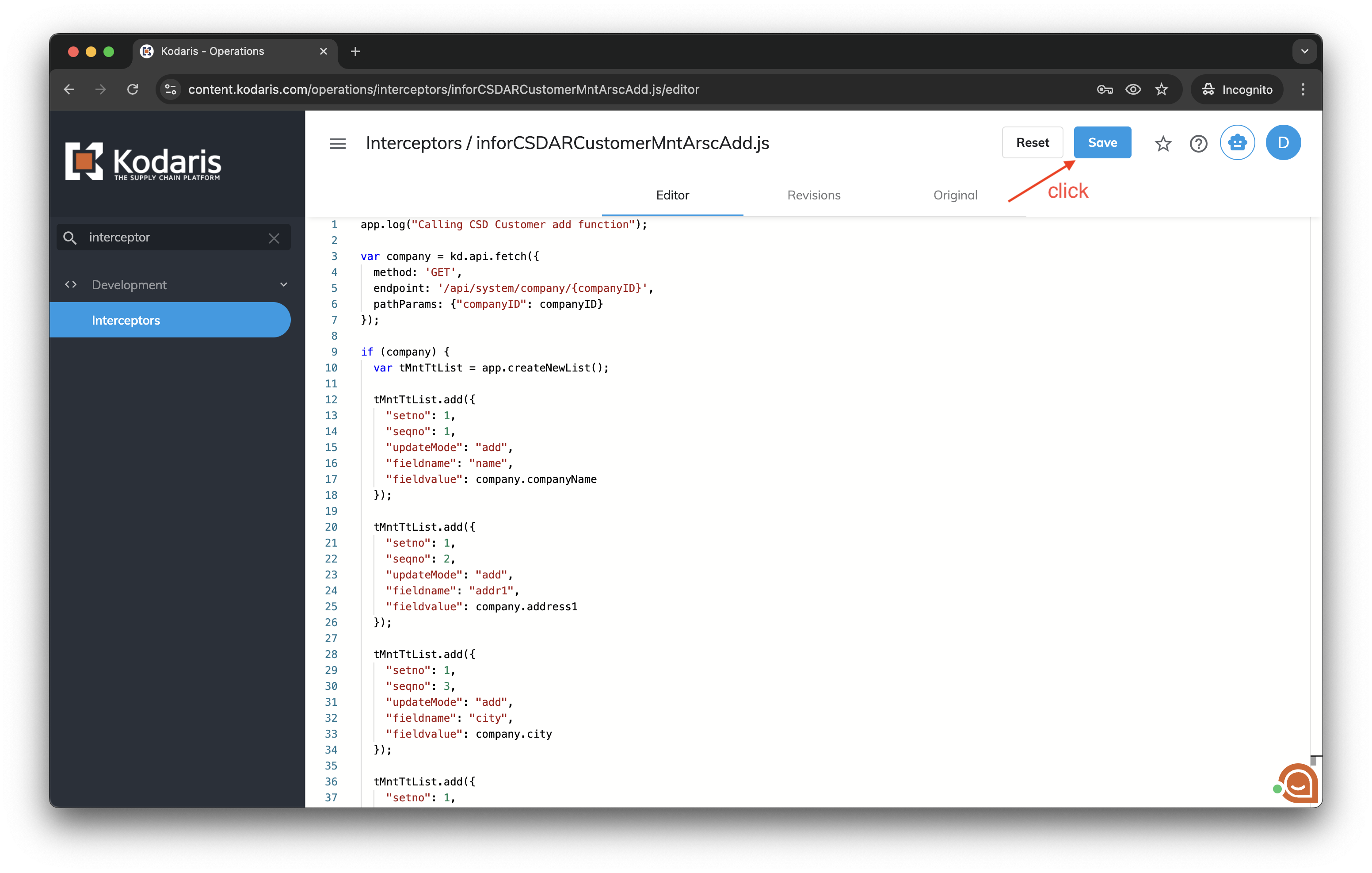
app.log("Calling CSD Customer add function");

var company = kd.api.fetch({
  method: 'GET',
  endpoint: '/api/system/company/{companyID}',
  pathParams: {"companyID": companyID}
});

if (company) {
  var tMntTtList = app.createNewList();

  tMntTtList.add({
    "setno": 1,
    "seqno": 1,
    "updateMode": "add",
    "fieldname": "name",
    "fieldvalue": company.companyName
  });

  tMntTtList.add({
    "setno": 1,
    "seqno": 2,
    "updateMode": "add",
    "fieldname": "addr1",
    "fieldvalue": company.address1
  });

  tMntTtList.add({
    "setno": 1,
    "seqno": 3,
    "updateMode": "add",
    "fieldname": "city",
    "fieldvalue": company.city
  });

  tMntTtList.add({
    "setno": 1,
    "seqno": 4,
    "updateMode": "add",
    "fieldname": "zipcd",
    "fieldvalue": company.postalCode
  });

  tMntTtList.add({
    "setno": 1,
    "seqno": 5,
    "updateMode": "add",
    "fieldname": "countrycd",
    "fieldvalue": company.country
  });

  tMntTtList.add({
    "setno": 1,
    "seqno": 6,
    "updateMode": "add",
    "fieldname": "phoneno",
    "fieldvalue": company.phone1
  });

  requestBody = {
    "tMntTt": {
      "t-mnt-tt": tMntTtList
    }
  }
}
Here it uses a "tMntTtList" var with the app.createNewList() function assigned to it for creating a new list of fields to map.
Then, it keeps adding objects for each company field with tMntTtList.add.
In the end, remember to pass it into the requestBody object to set it to the API request for adding the company to the ERP.
After editing the interceptor script, click Save.
4. Open the Companies page
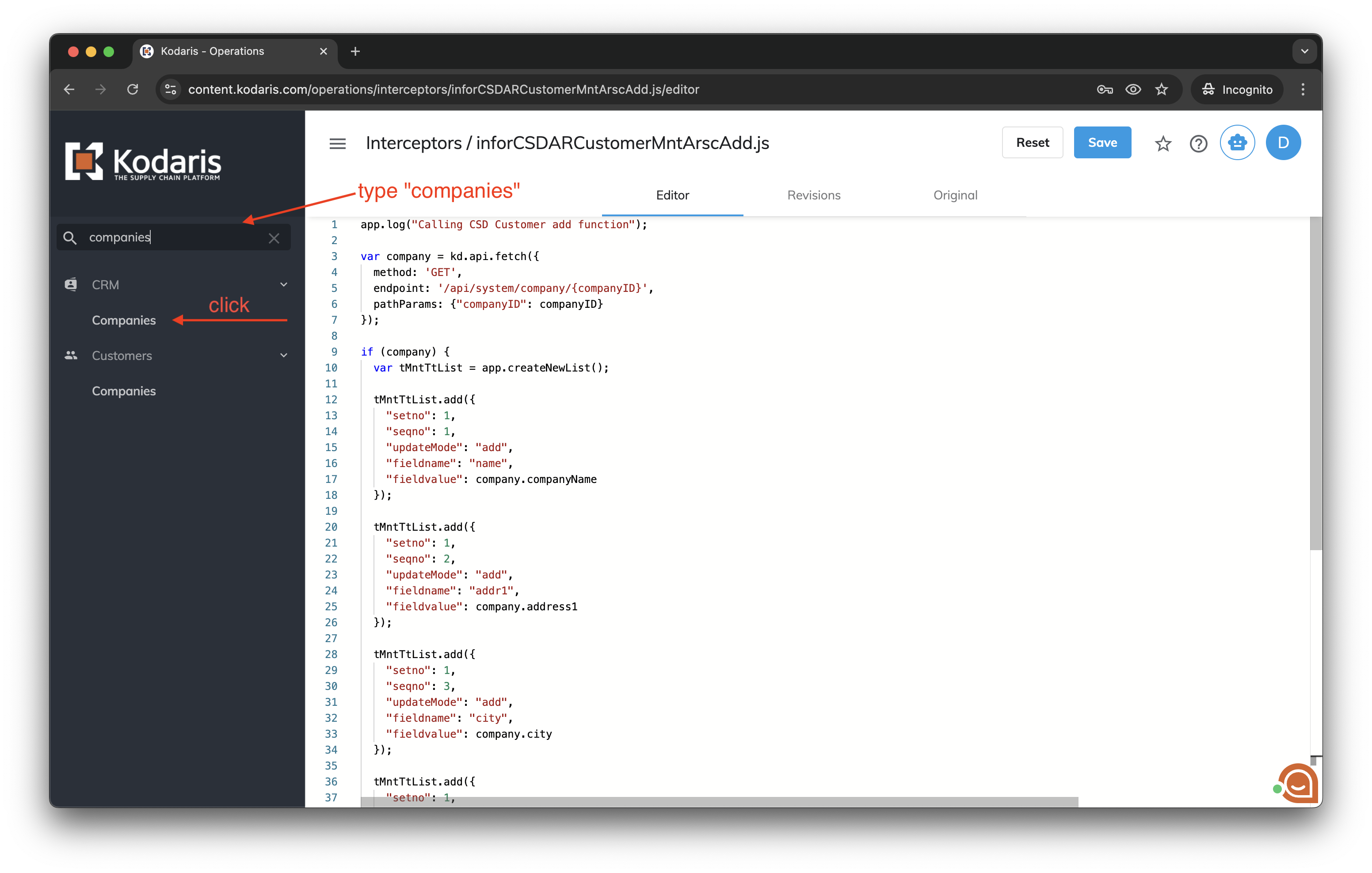
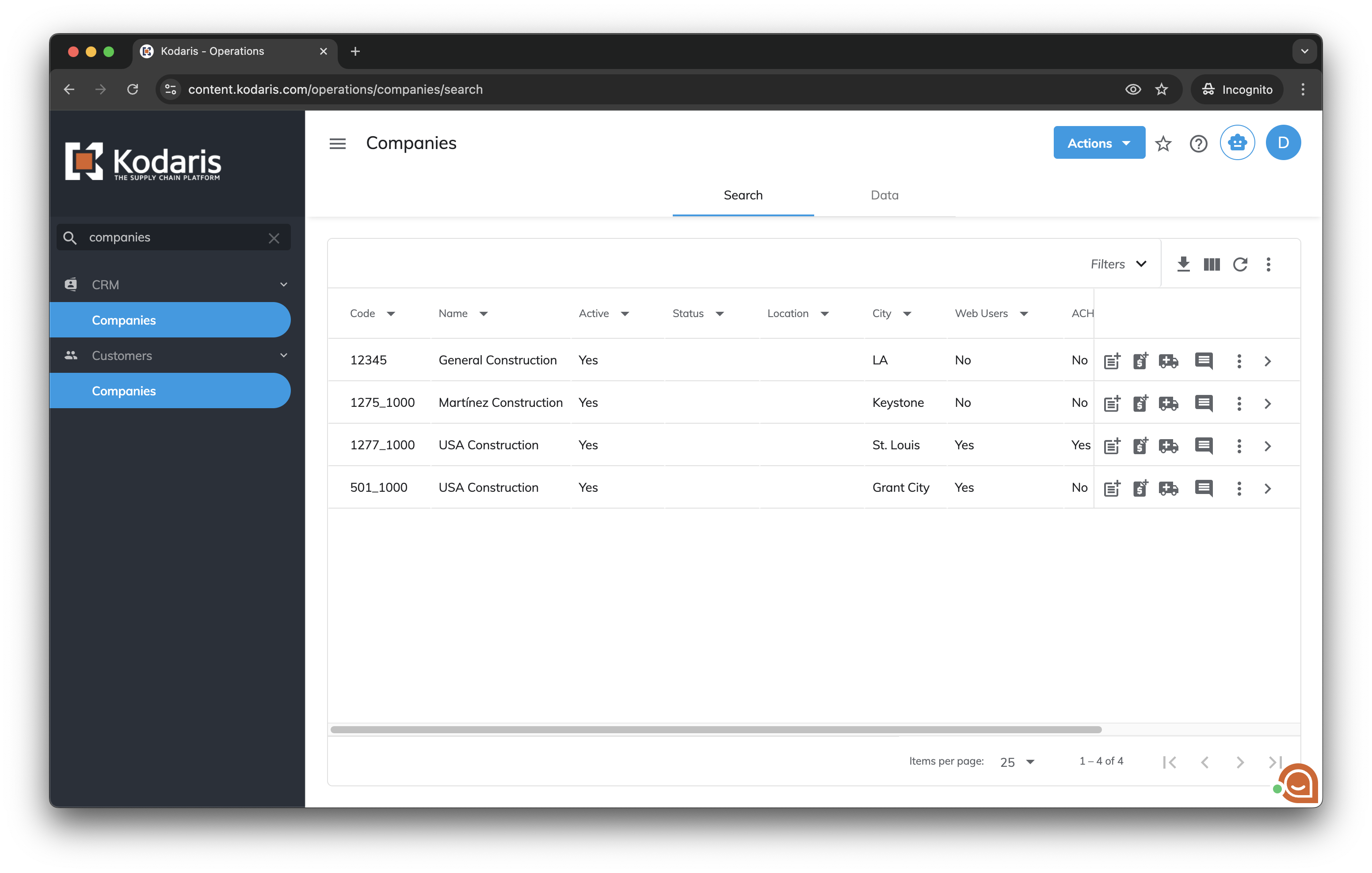
Type "companies" in the left menu search bar, then click Companies to open the page.
5. Open a Company details page
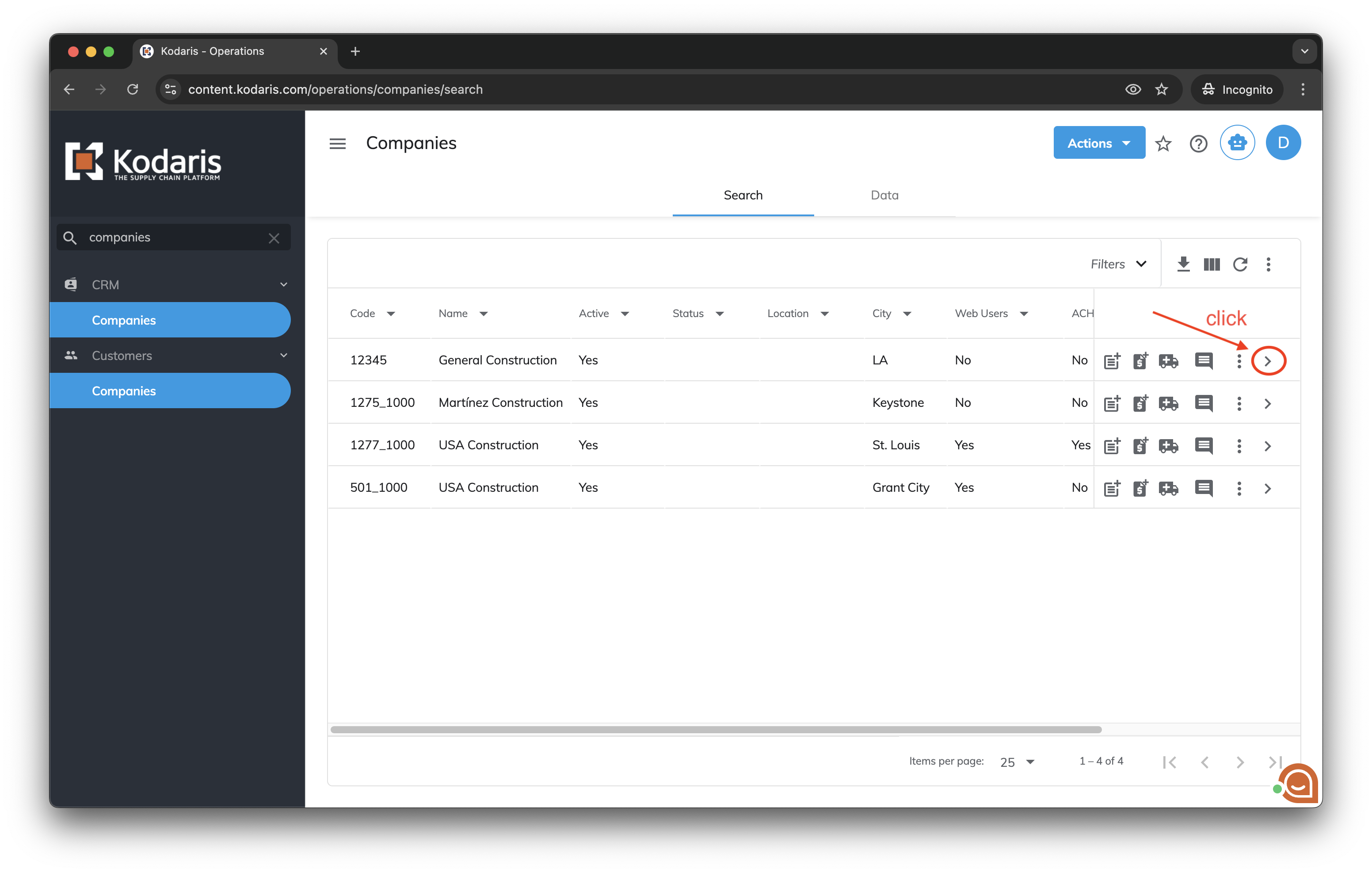
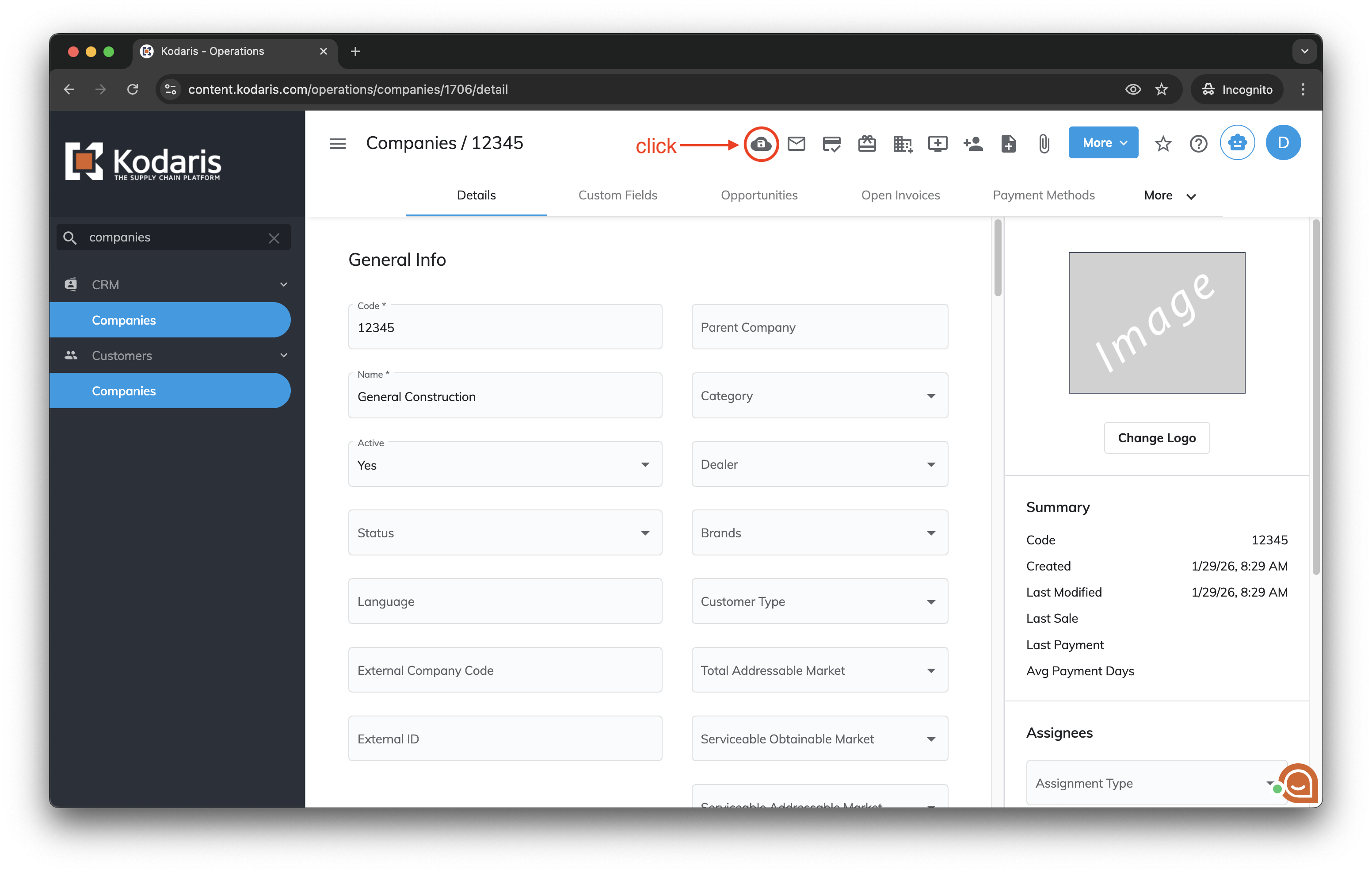
Find a new company (that was note saved to ERP yet) then click the ">" icon to open it.
6. Save to ERP
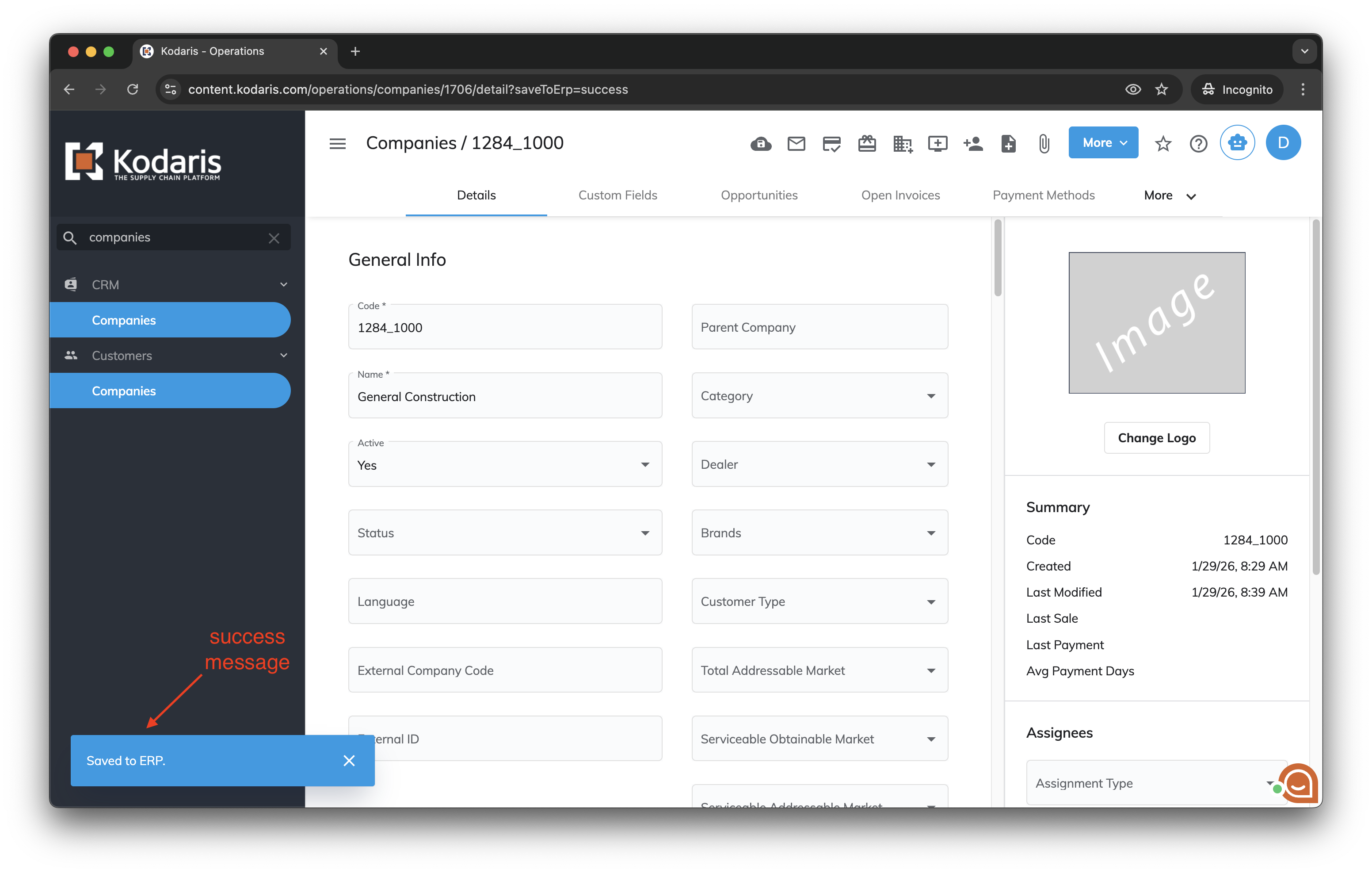
Click the icon  to "Save to ERP".
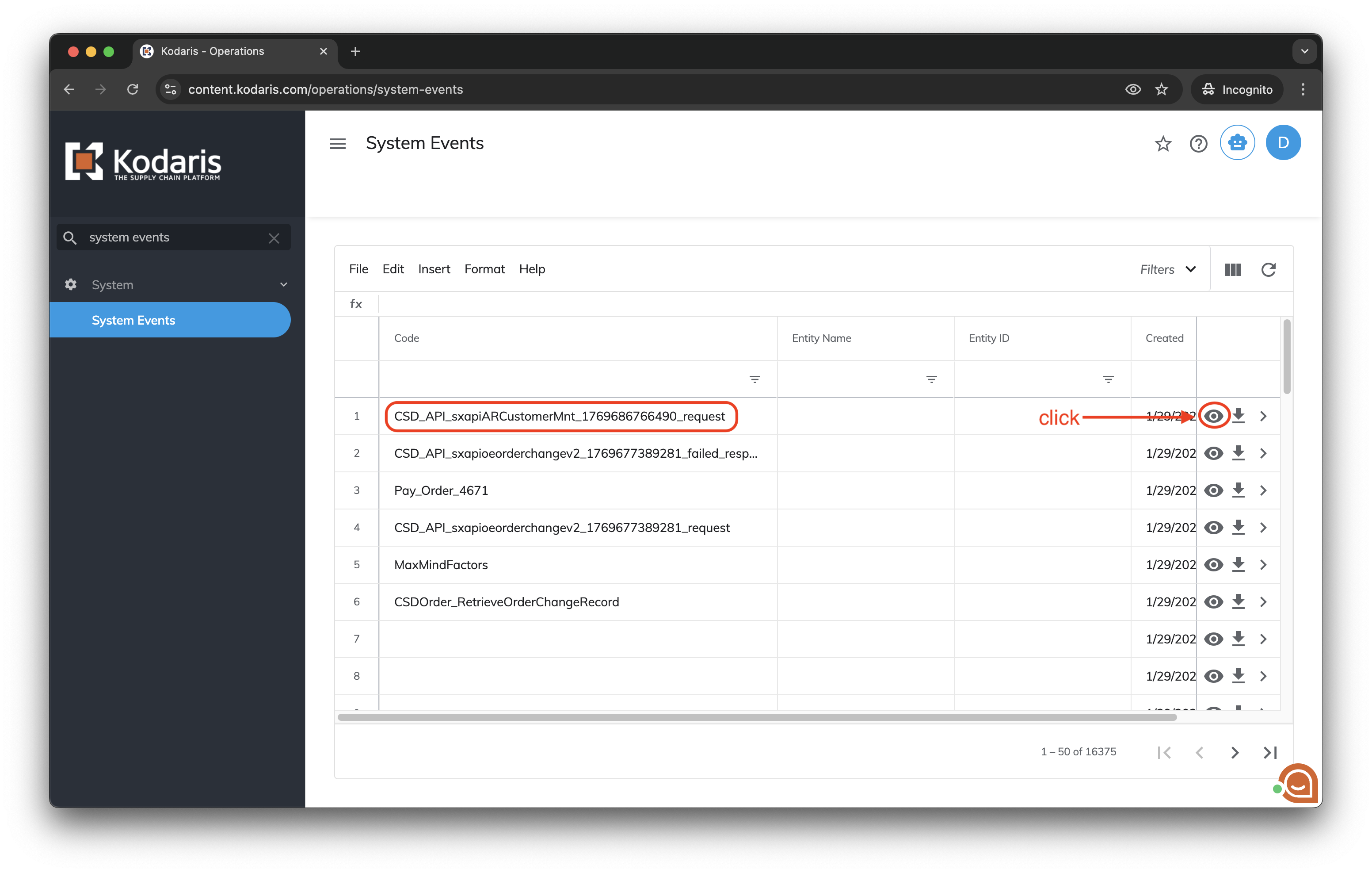
7. Open the System Events page
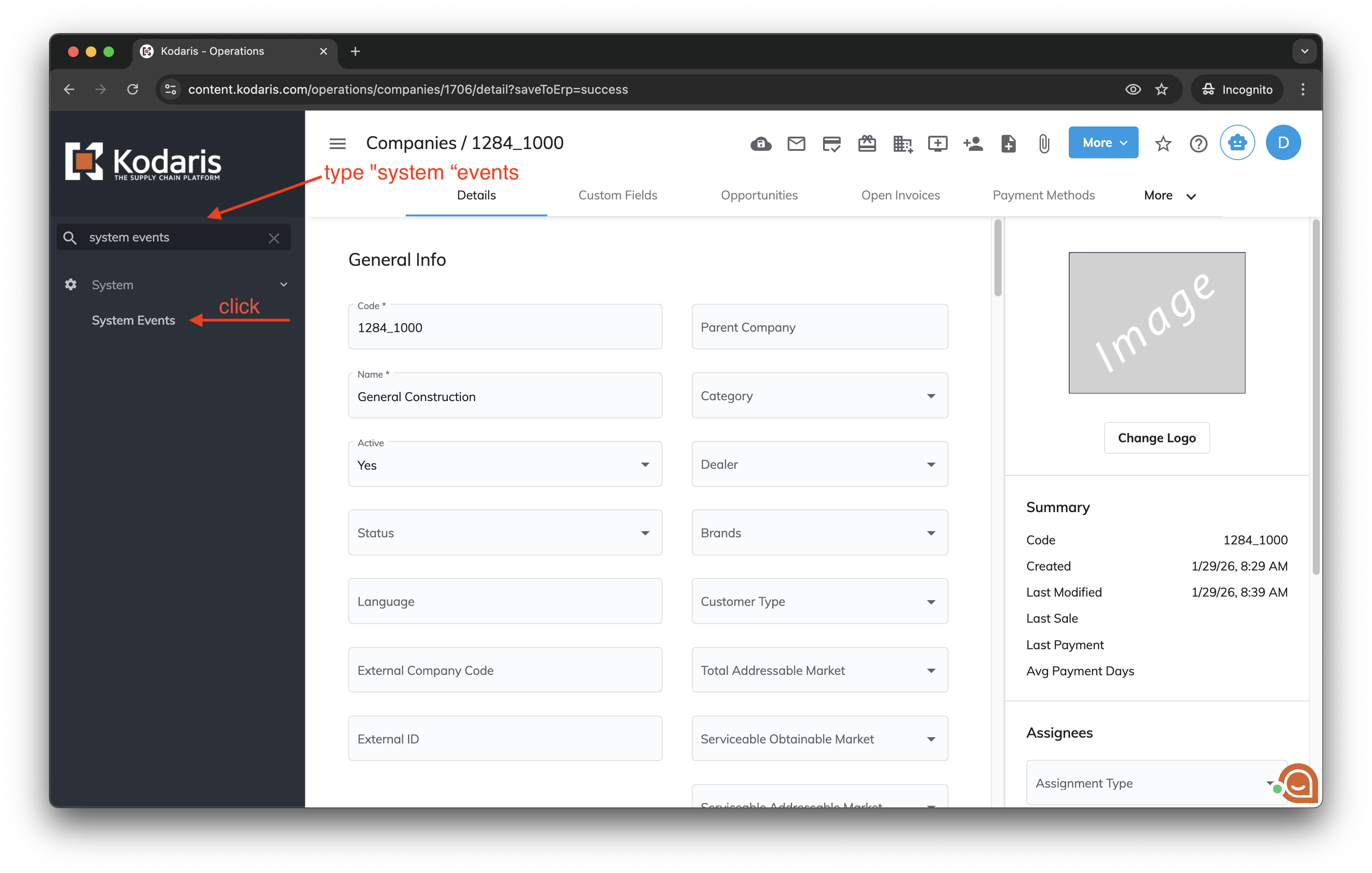
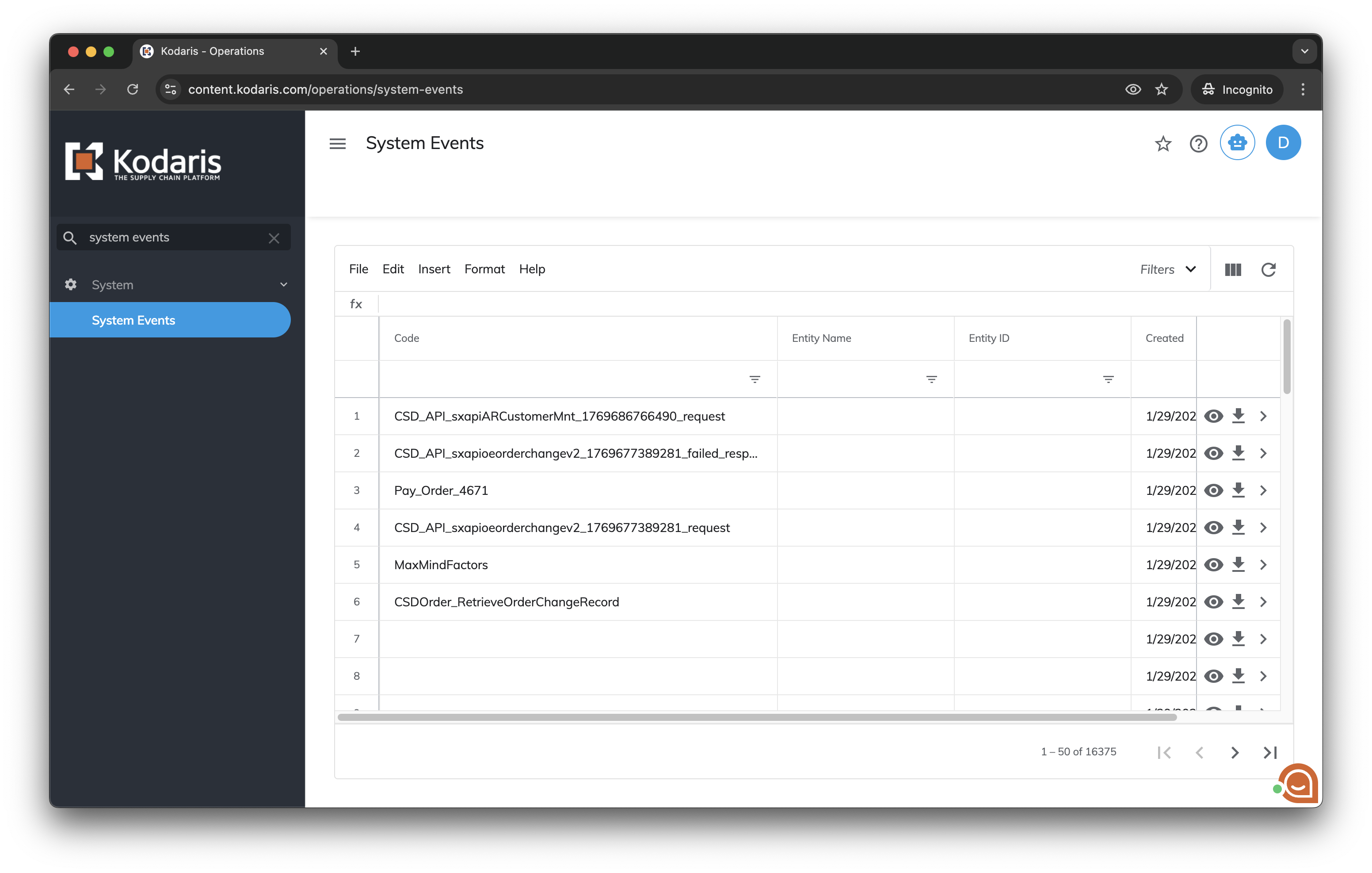
Type "system events" in the left menu search bar, then click System Events to open the page.
8. Find the related system event and view the request data
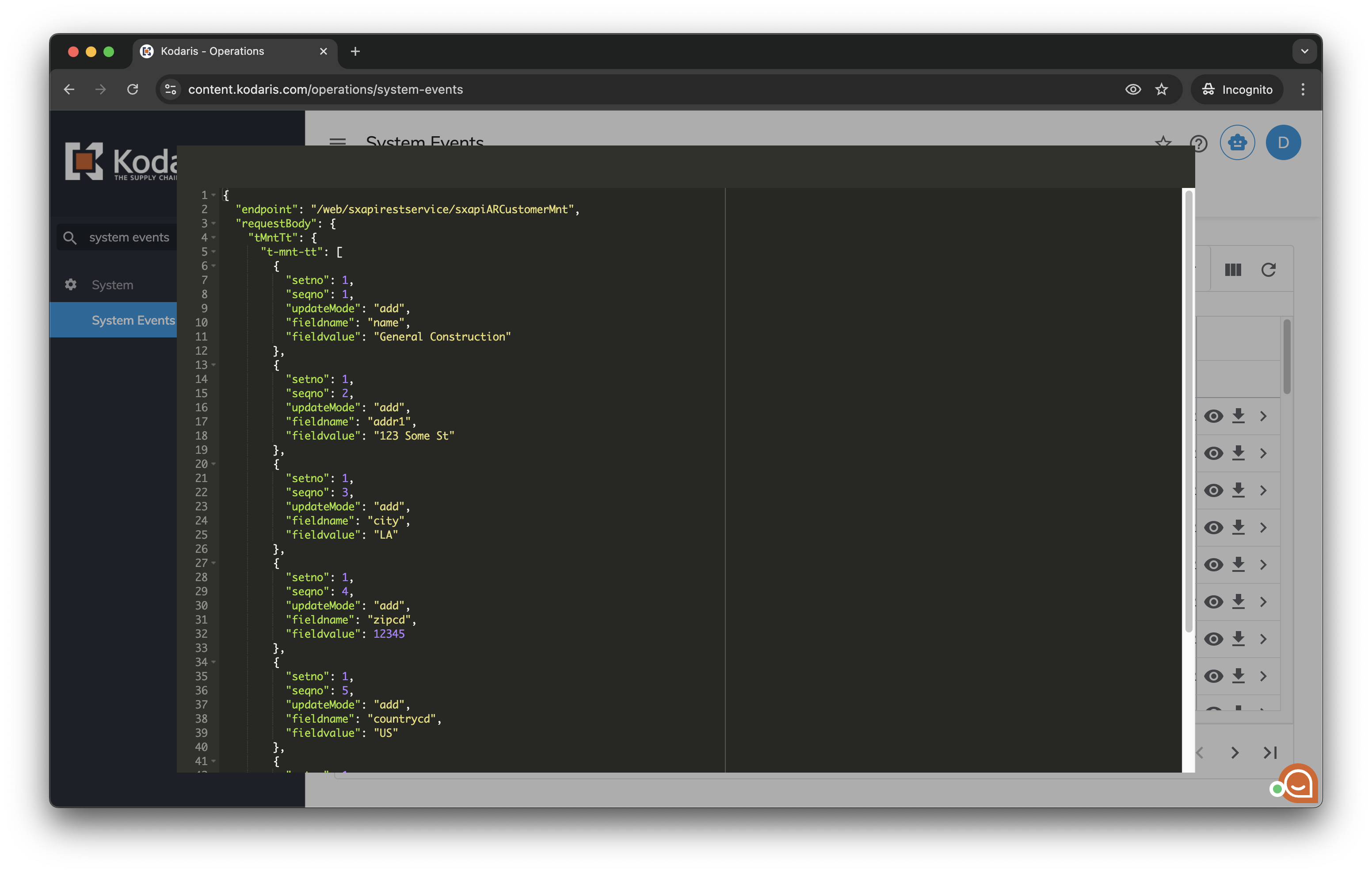
The system event related to the ERP request has a name similar to "CSD_API_sxapiARCustomerMnt_1769686766490_request".
Find the more recent system event with this name pattern and click the icon  to view the request data.
9. Check the request data
The request data must match the data in the system.